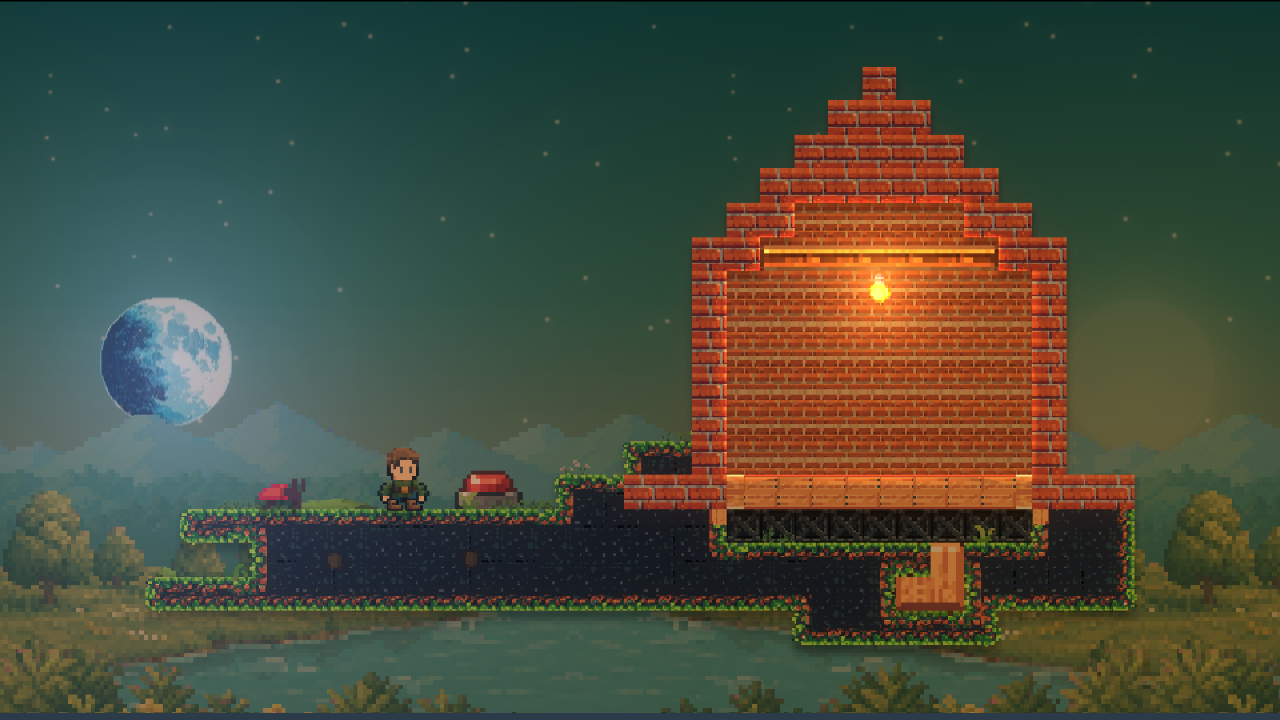
A New Look
update 15.10.2026
v1.6.0
Highlights
- A completely new look. Every screen, popup, and button has been redesigned with a dark slate-blue theme, teal accents, and a new, rounded font.
- Blocks redesigned. New edges, shadows, depth shading, and natural decorations make worlds feel more detailed and alive.
- Major performance improvements. Block rendering, editing, and lighting have been optimized for smoother gameplay.
New Content
New Skins
- Skin Hat Viking Helmet: Historically inaccurate, emotionally correct.
- Skin Hat Chef: The taller the hat, the better the soup.
- Skin Hat Pirate: For sailing the seven seas, or at least the nearest puddle.
- Skin Eyes 3d Glasses: The world finally pops. Mostly in red and blue.
- Skin Eyes Cyber Visor: Scanning for threats, snacks, and shiny things.
- Skin Top Hawaiian Shirt: Every day is a vacation if you dress for it.
- Skin Top Knight Breastplate: Polished steel and a crest nobody remembers earning.
- Skin Top Lab Coat: Stain-resistant, explosion-tolerant, science-approved.
- Skin Color Mint: Fresh, cool, and faintly peppermint-scented.
- Skin Color Lavender: A calming hue for a not-so-calm world.
New Materials
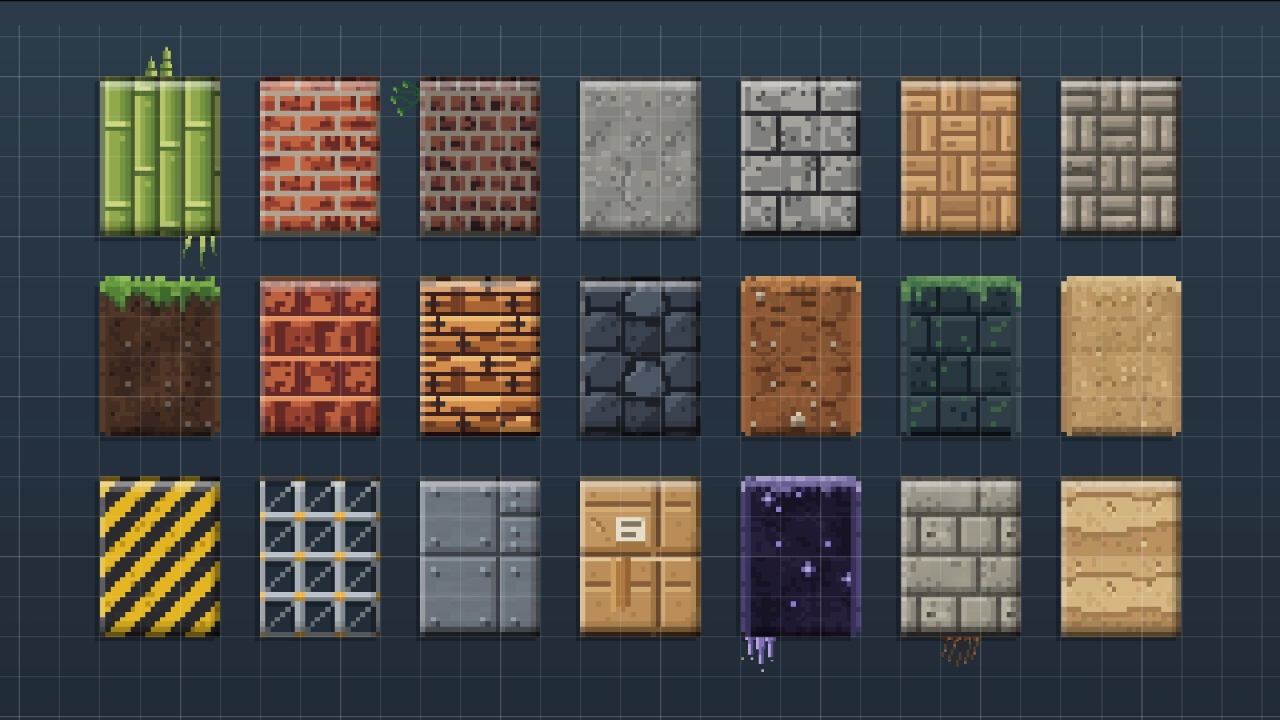
- Material Concrete: Poured grey concrete, cheap and sturdy.
- Material Bamboo: Tall green stalks lashed side by side.
- Material Parquet: A herringbone wooden floor.
- Material Roof Tile: Overlapping clay tiles that shed the rain.
- Material Sandstone: Layered rock, warm and easy to carve.
- Material Basalt: Dark volcanic rock broken into cells.
- Material Hazard Panel: A steel plate with warning stripes.
Menus & Interface
The entire interface has been redesigned to feel cleaner, more consistent, and easier to navigate.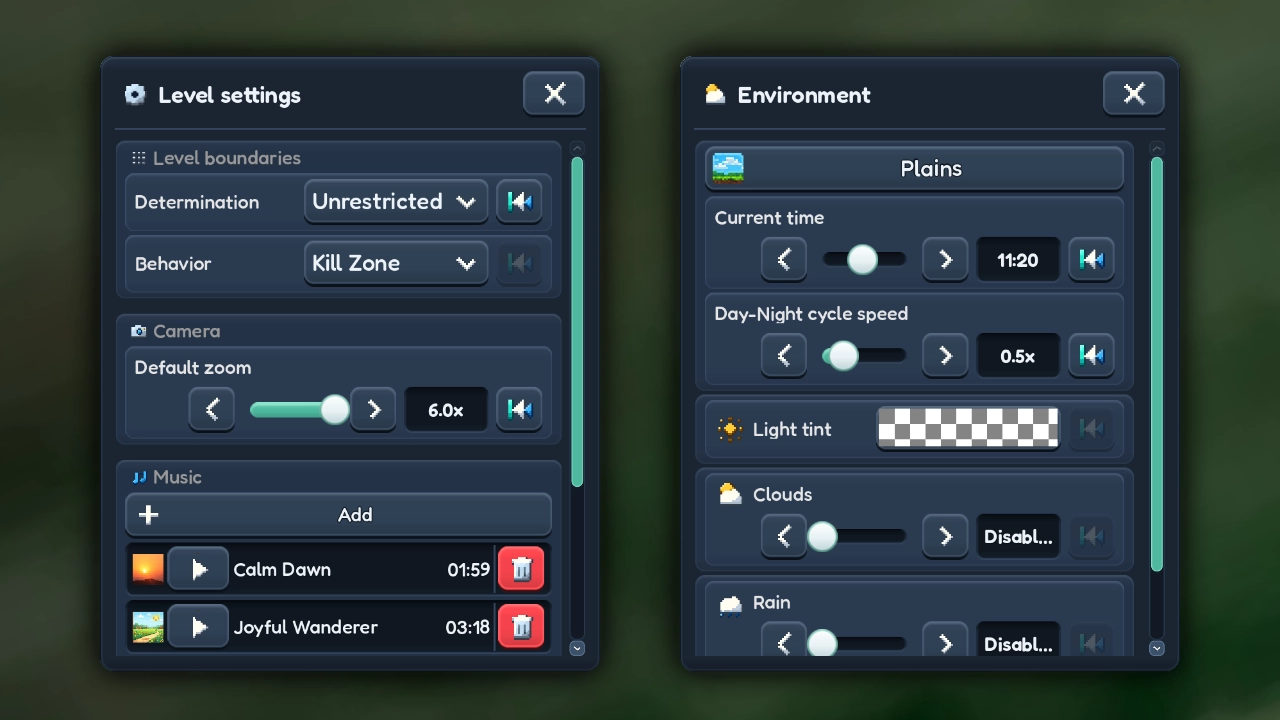
General Improvements
- Completely redesigned interface. A new color palette, rounded font, refreshed buttons, panels, and popups throughout the game.
- Smoother scrolling. Lists now stretch slightly when reaching the end and spring back naturally. Scrollbars automatically fade away after 3 seconds.
- Better navigation. Every main menu screen now has its own header and title.
- Simpler pagination. Previous and next buttons replace numbered page buttons, with a counter showing the current and total pages.
- Less clutter. Removed the downloads button, Google Play Achievements buttons, and development roadmap from the main menu. Feedback attachments are no longer supported.
Hub
- Content type buttons are on the side, and a Mine / Downloaded toggle replaces the two separate sections.
- Tapping an entry opens a menu with Play/Edit, Clone, Settings and Trash options. Publishing can now be found inside the settings.
- The trash is now a view inside the Hub instead of a popup.
- Removed: favorites, "Select all", and the filter/sort popup.
Sandbox Universe
- New navigation. Browse Explore, Popular, Newest, Top Rated, Random, My Content, and Downloads.
- Content filters. Browse every content type at once, or narrow results to worlds, elements, artwork, particles, or screenshots. The old filter popup has been removed.
Character Customization
- One row of categories: Head, Hair, Hat, Mouth, Eyes, Color, Top, Feet, and Emote are now arranged in a single row.
- Instant equipping. Tap any owned item to equip it immediately. Newly purchased items are equipped automatically.
- Removed the Bottom category.
Library
- Redesigned layout. Browse Materials, Elements, Items, Artwork, Components, Attributes, Logic, Skills, and Backgrounds.
- Side-panel details. Selecting an entry opens its details alongside the library instead of navigating to another screen.
Other Improvements
- Profiles: A new Browse button shows a player's creation count and opens their published content.
- Achievements: All achievements now appear in one list, with a completion summary at the top instead of separate In Progress and Completed tabs.
- Settings: Options are organized into General, Audio, and Notifications.
Editor
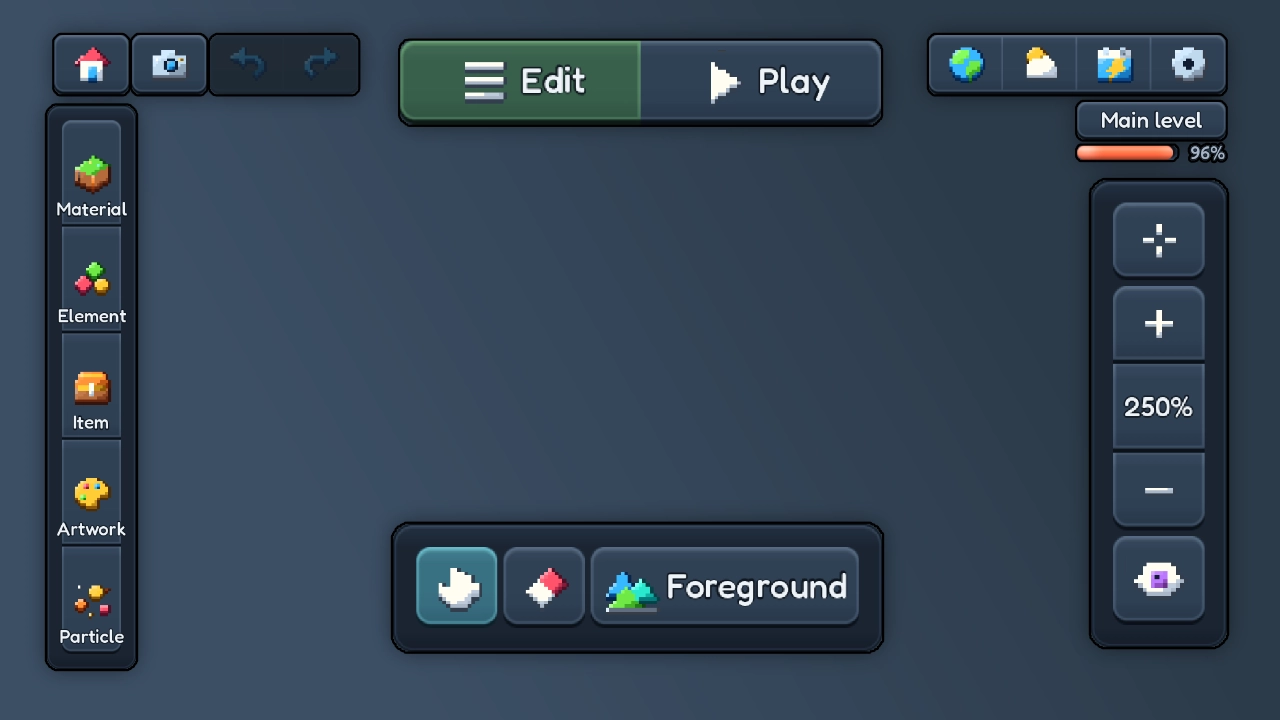
- Every option now has a reset-to-default button. This applies to game settings and to all editor settings: element, logic, particle, environment and camera options.
- New Edit / Play switch. Switch between editing and playing directly from the toolbar.
- Easier editor navigation. When editing an element, artwork, or particle, a dedicated button lets you return to the editor you came from.
- Closer default zoom. The World Editor now starts at 250% zoom. Tap the zoom label to reset it.
- Details & Publish has moved to the pause menu.
- Improved Backpack. Element variants are now grouped inside the list instead of appearing in a separate slide-out panel. Long-press an element in the Backpack to choose its material.
- The drag-to-cancel button for long-press erasing has been removed. Use Undo to reverse changes.
- Artwork Editor: Removed the pan/drag tool from the toolbar.
Gameplay & Controls
New Touch Controls
- New D-pad. Four directional buttons replace the old left/right controls that rotated when climbing ladders. Hold Up or Down to tilt your character's head.
- New action buttons. Jump, Grab, Interact, and Punch have all received updated controls.
- Better visibility. Controls become 50% transparent when idle and light up when pressed.
Improved Movement
- Move horizontally on ladders. Move in any direction while climbing, including sideways at 60% of normal climbing speed.
- Rebuilt ledge grabbing. Grabbing ledges is now more reliable and feels much smoother. Ledges used to be missed depending on exactly where in the jump you hit the wall, especially when falling fast. Blocks and elements are handled the same way. That includes the steps of stair elements, which couldn't be grabbed before. Ledge grabs only begin once your jump reaches its highest point, preventing them from interrupting upward movement. Your character smoothly slides into a hanging position instead of snapping into place.
- More responsive jumping. Very short taps now produce small hops instead of occasionally triggering a full jump.
Characters & Animals
- Chickens can flutter. Flapping their wings slows their fall. They can also hop over obstacles and avoid drops too deep to jump back from.
- Smarter beetles. Beetles can now flutter too, jump over obstacles, and turn around before walking off cliffs.
Blocks & Lighting
Blocks have received a big upgrade, with more depth, natural details, improved rendering, and significantly better performance.A New Look for Blocks
- Defined edges and corners. Exposed block sides now have their own shading and highlights. Top edges catch the light, left sides appear brighter, and right and bottom edges are darker, giving blocks a more solid appearance.
- Natural surface transitions. Grass, sand, dirt, mossy walls, and twilight stone now have distinct top surfaces, exposed side caps, and rounded outer corners. Surfaces no longer repeat unnecessarily along the sides of terrain.
- Depth shading. Large sections of terrain gradually darken toward their interior, making thick ground feel solid instead of appearing as one flat surface.
- Less repetitive textures. Stone and pavement now use larger 2×2 tile patterns. Subtle variations in brightness and color across the world help break up repeating textures.
- New block decorations: cracks, moss, ivy, roots, flowers, cobwebs, grates, bones, fossils, a cactus on sandstone, and more. They are spread randomly, so no two areas look the same. Decorations now appear only on the foreground layer.
- Background blocks are less saturated and lower in contrast, so the playable foreground stands out.
- Elements have also received a small visual upgrade.
Improved Block Rendering and faster Lighting
- Pixel-perfect grid alignment. Blocks now use a single tile per grid cell instead of the previous overlapping dual-grid system.
- Faster block editing. Placing or erasing blocks now updates only the surrounding area instead of rebuilding larger sections of terrain. This makes drawing, painting, and erasing significantly faster. Undo, Redo, and world loading also benefit from the improved block rendering system.
- Lighting is drawn at a third of the screen resolution and only redrawn when a light, the camera or the blocks change. With a still camera and still lights, it costs almost nothing.