
GitHub Repository Archived
This repository has been archived on and is now read-only.
Description
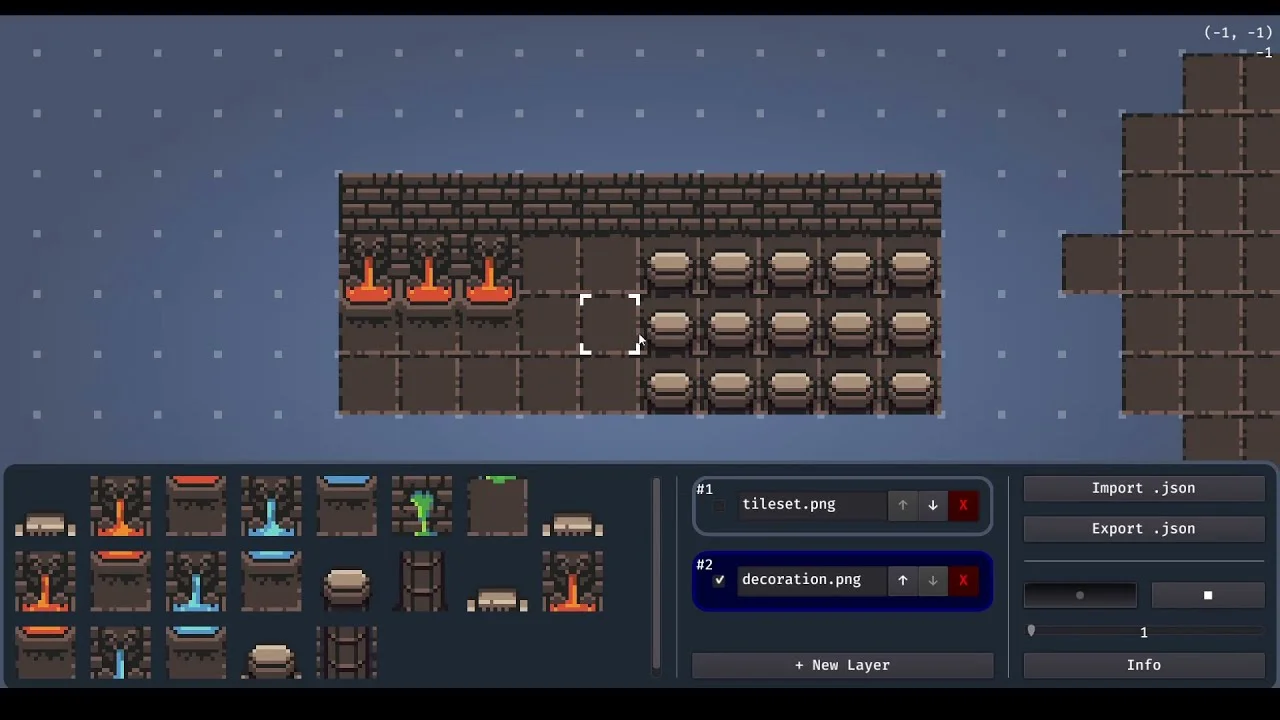
The Tilemap Level Editor is a Godot tool for creating 2D levels and exporting them as JSON files. It is designed to load levels dynamically at runtime.
Controls
- Left click: Place a tile
- Right click: Remove a tile
- Tab: Toggle the GUI
- Shift + Scroll: Change brush size
- Middle Mouse, WASD, or Arrow keys: Move the camera
- Scroll: Zoom in or out
UI and Layers
Create new layers with the + New Layer button and select an image file for the tileset. Switch between layers and adjust their order using the arrow controls.
JSON Export Format
The exported JSON file contains layer data and object positions:
{
  "layers": [
    {
      "texture_path": "C:/tilemap-level-editor/test/tileset.png",
      "cells": [[4, -5, -3]]
    }
  ],
  "objects": [
    {
      "key": "player",
      "position": [2, 4]
    }
  ]
}
Limitations
- Grid Size: Supports only 16×16 tiles. Spritesheets must be divisible by 16 (16, 32, 48, and so on).
- Paths: Texture paths are stored as absolute paths.
Screenshots


Video
External content from YouTube
Open video page 